How Internet Traffic Passes through a Firewall, NAT, FQDN, DNS, Ports

Imagine the internet as a collection of colleges, each with its own main gate acting as a firewall. This gate serves as the gateway to the outside world, which is the broader internet, and to other networks, each protected by its own firewall and gateway. At every gate, systems like NAT, Rules and network ports verify the authenticity and authorization of visitors.
In this analogy, your own network is like a college campus bustling with activity, offering various resources such as data storage libraries, information processing labs, and administrative offices. The firewall, functioning as the gate pass checking system, is strategically positioned at the entrance to regulate all incoming and outgoing traffic, ensuring secure and organized access.
NAT (Network Address Translation), let’s look at how it works. NAT modifies the source or destination IP address of network traffic to route it correctly. For instance, it allows devices on a private network to access the internet by translating internal IPs to a public IP.
Step 1: Approaching the Entrance All network traffic must pass through the firewall, serving as the main gate:
Port Check: Traffic uses specific network ports to gain entry, such as Port 80 for regular HTTP traffic and Port 443 for secure HTTPS traffic.
Step 2: The Gate Pass Ledger—NAT, It plays a crucial role in routing traffic within the network:
Destination NAT: Modifies incoming traffic's destination address to guide it to the correct internal location.
Source NAT: Adjusts the source address of outgoing traffic to ensure accurate and orderly logs of departures.
DNS (Domain Name System) functions as the internet's phone book, translating domain names like www.google.com into IP addresses and reach you to the website owner's computer to access it. An FQDN (Fully Qualified Domain Name) is a complete address for a specific internet host, including all domain levels, like subdomain.example.com. Network ports are specific entry points in an OS that route network traffic, each associated with a service, such as HTTP on port 80 and HTTPS on port 443.
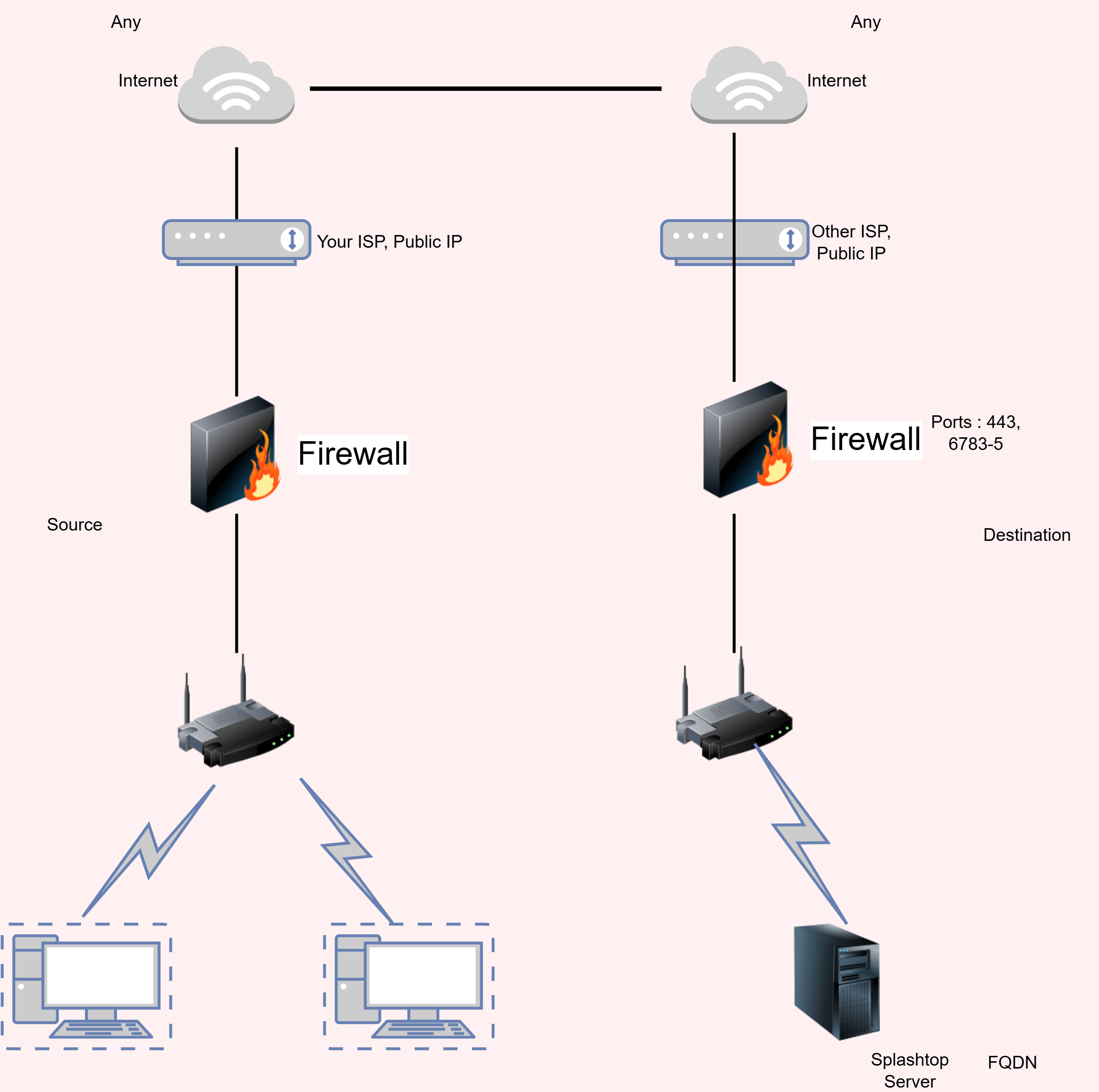
Now that you understand how traffic flows through a firewall, along with what DNS, FQDN, and ports, let's explore an example of allowing your internal network to access an external service like Splashtop via a specific FQDN.
When enabling your internal network to access services like Splashtop, proper firewall configuration is essential to maintain security and connectivity. Here’s how to configure your firewall for Splashtop:
Set Firewall Rules:
Source: Typically set to 'Any' for broad access or restricted IP ranges for tighter security.
Destination: Use FQDNs such as
*.splashtop.com&relay.splashtop.comto ensure traffic is directed to legitimate Splashtop servers.Ports: Open TCP Port 443 for secure HTTPS traffic, and UDP Ports 6783, 6784, 6785 for specific Splashtop data transmission.